

Vention Type-C to HDMI/VGA/USB3.0/PD Converter 0.15M – Multi-Display Connectivity Hub
Meta Description: Vention Type-C to HDMI/VGA/USB3.0/PD Converter delivers simultaneous dual display output, high-speed data transfer, and laptop charging through a compact 0.15M adapter for modern workspaces.
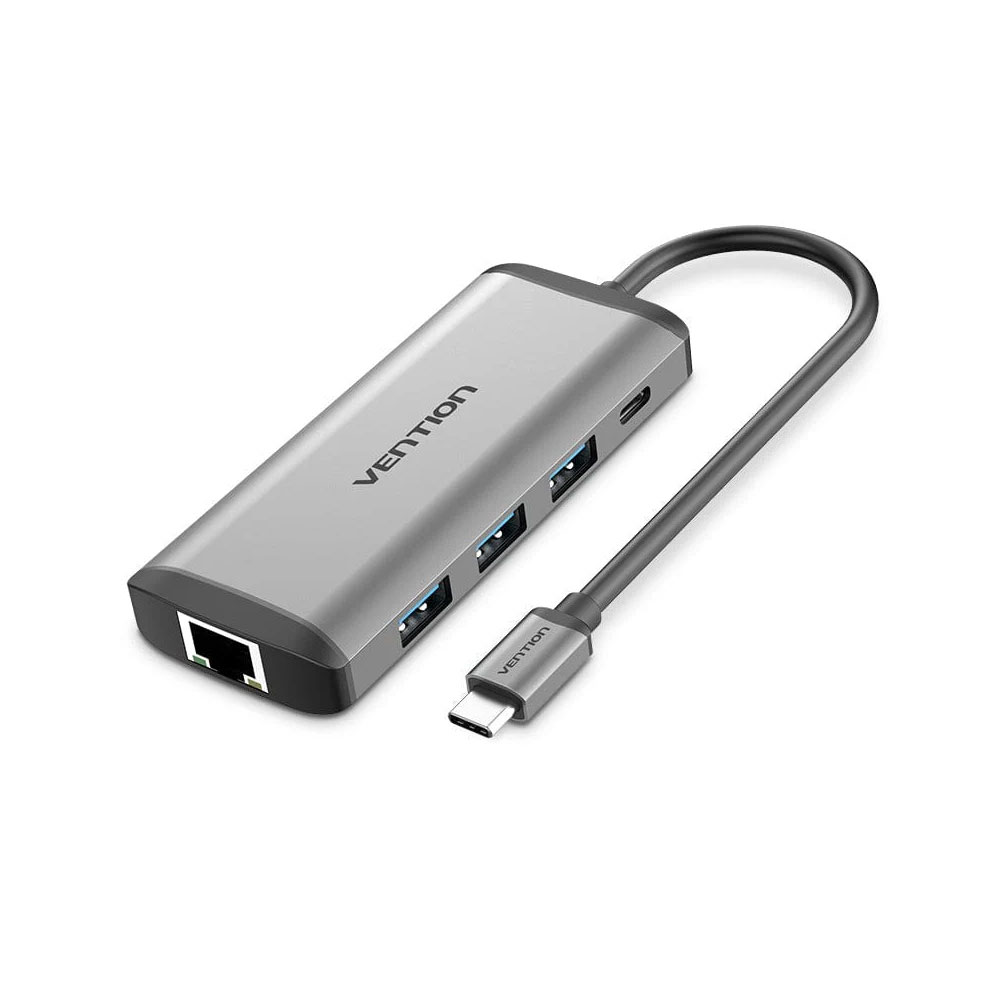
The Vention Type-C to HDMI/VGA/USB3.0/PD Converter 0.15M transforms a single USB-C port into a complete workstation connectivity solution. This compact adapter addresses the common frustration professionals face when their ultrabook or laptop lacks the ports needed for presentations, external monitors, and peripheral devices. Rather than carrying multiple adapters or limiting your productivity, this 0.15-meter hub consolidates essential connections into one reliable interface.
Comprehensive Port Expansion for Modern Computing
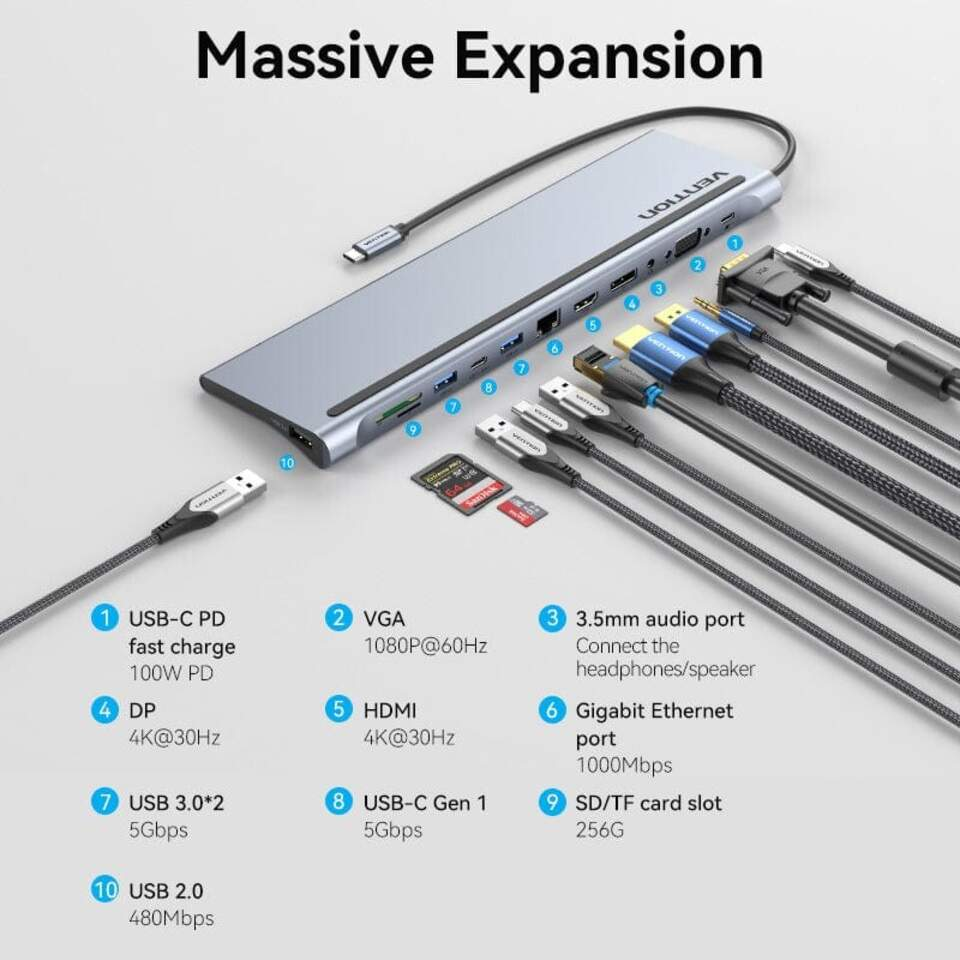
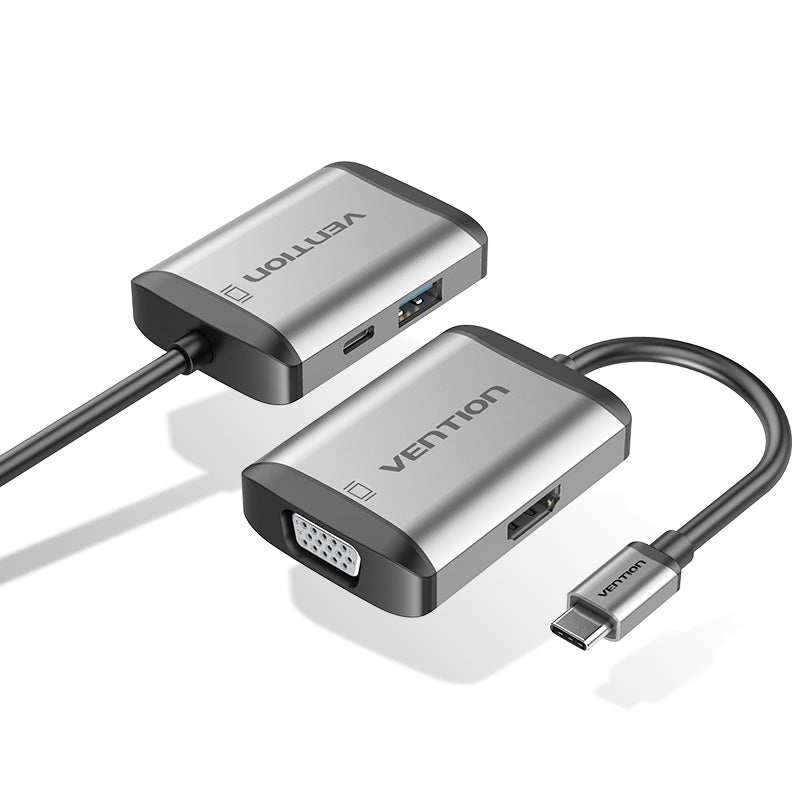
Modern laptops prioritize slim designs over port variety, creating real challenges when you need to connect to projectors, external displays, or legacy equipment. The Vention Type-C to HDMI/VGA/USB3.0/PD Converter solves this problem by providing four critical connection types simultaneously. The HDMI output supports high-definition video up to 4K resolution at 30Hz, ensuring sharp presentations and extended desktop displays. The VGA port maintains compatibility with older projectors and monitors common in conference rooms and educational settings, preventing the awkward situation of arriving prepared but unable to connect.
Dual Display Technology
This converter enables simultaneous HDMI and VGA output, though not mirrored content on both ports at once. Connect two separate displays through different interfaces, expanding your workspace across multiple screens. The USB 3.0 port delivers data transfer speeds up to 5Gbps, allowing you to connect external hard drives, flash drives, or peripherals without sacrificing display connectivity. Power Delivery (PD) pass-through charging supports up to 100W input, ensuring your laptop charges while you work with connected devices—eliminating the battery anxiety that disrupts productivity during extended sessions.
Technical Specifications That Matter
The 0.15-meter cable length provides desktop-friendly reach without creating cable clutter. This compact design makes the Vention Type-C to HDMI/VGA/USB3.0/PD Converter genuinely portable—it fits in laptop bags without tangling with other equipment. The aluminum housing dissipates heat effectively during extended use, preventing the performance throttling that occurs with plastic-bodied adapters during hours-long presentations or video playback.
Compatibility and Performance
- HDMI Output: 4K@30Hz, 1080p@60Hz support for modern displays
- VGA Output: 1080p@60Hz maximum resolution for legacy equipment
- USB 3.0 Port: Backward compatible with USB 2.0 devices
- Power Delivery: Supports 100W charging pass-through (87W delivered after converter overhead)
- Cable Length: 0.15M integrated cable reduces connector stress
- Device Compatibility: Works with USB-C laptops, tablets, and smartphones supporting video output
Practical Applications Across Work Environments
In Nairobi’s business environment where meeting rooms may have varying display technology, carrying the Vention Type-C to HDMI/VGA/USB3.0/PD Converter 0.15M ensures connection readiness. Sales professionals conducting client presentations avoid technology delays that undermine confidence. Educators moving between different classrooms connect seamlessly regardless of available equipment. Content creators extend their workspace with external monitors while keeping USB peripherals connected and their laptop charged through a single connection point.
The PD charging capability proves particularly valuable during power interruptions—connect your UPS-protected monitor and maintain productivity while your laptop charges from the same protected power source. This integrated approach reduces the number of wall outlets needed and simplifies cable management in desk setups.
Installation and Setup
The converter requires no driver installation for basic video and USB functionality when used with Windows 10/11, macOS 10.14 or later, and Chrome OS devices. Simply connect the USB-C plug to your compatible device and attach your displays and peripherals. The plug-and-play design eliminates software configuration for standard use cases. For optimal 4K performance, ensure your source device supports DisplayPort Alt Mode over USB-C—not all USB-C ports include video output capability.
Maintenance Considerations
The aluminum construction resists physical wear better than plastic alternatives, but the integrated 0.15M cable requires careful handling during transport. Avoid wrapping the cable tightly around the hub body, which stresses the internal connections over time. Store the converter in a protective case or dedicated pocket within your laptop bag to prevent port damage from impacts. Regular inspection of the USB-C connector pins ensures early detection of any physical damage that could affect connectivity.
Value Proposition for Technical Professionals
While multiple single-function adapters might cost less individually, the Vention Type-C to HDMI/VGA/USB3.0/PD Converter consolidates these functions into one reliable unit you’ll actually remember to pack. The simultaneous operation of all ports—video output, data transfer, and charging—eliminates the compromise between functionality and available ports. For professionals who present regularly or work with multiple external devices, this adapter pays for itself by preventing missed connections and maintaining productivity during travel.
The 0.15M cable length strikes the right balance—long enough to reach desk-mounted USB-C ports without straining the connection, yet short enough to avoid cable management headaches. This practical design consideration demonstrates engineering focused on real-world usage rather than specification sheets alone.
Technical Support and Warranty Coverage
Vention provides manufacturer warranty coverage for defects in materials and workmanship. Verify warranty terms through your supplier at purchase, as coverage periods vary by region. Common issues like intermittent video output or USB device recognition failures often stem from source device compatibility rather than adapter defects—verify your laptop supports video output through its USB-C port before concluding adapter failure.