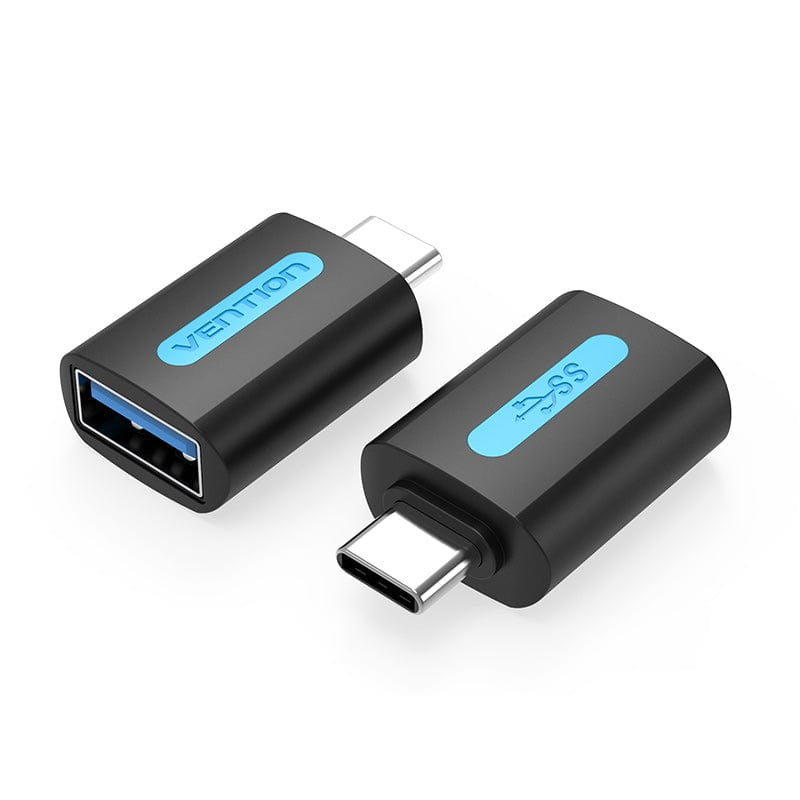
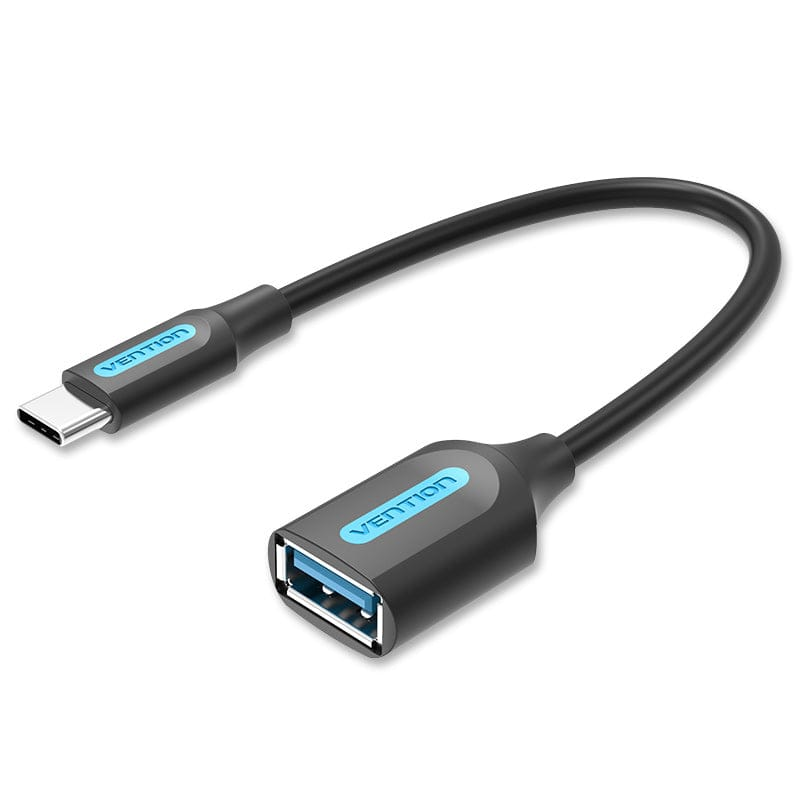
Vention USB-C Male to USB 3.0 Female OTG Adapter Black PVC Type
The Vention USB-C Male to USB 3.0 Female OTG Adapter provides high-speed connectivity between USB-C devices and traditional USB-A peripherals through a compact adapter design. This PVC-constructed adapter delivers 5Gbps data transfer speeds while eliminating cable length entirely for minimal-footprint connections. It’s designed for mobile professionals, students, and everyday users who need reliable USB-A compatibility with modern USB-C smartphones, tablets, and laptops.
Technical Specifications
Performance Characteristics
- Data Transfer Speed: Up to 5Gbps (USB 3.0/3.1 Gen 1 standard)
- USB Version: USB 3.0 with backward compatibility to USB 2.0/1.1
- Power Output: Up to 3A for connected peripherals
- OTG Protocol: Full USB On-The-Go host functionality
- Bandwidth: 500MB/s theoretical maximum throughput
Physical Design
- Connector Type A: USB Type-C male (24-pin reversible)
- Connector Type B: USB 3.0 Type-A female receptacle (9-pin)
- Housing Material: PVC (Polyvinyl Chloride)
- Color: Black
- Dimensions: Approximately 30mm × 16mm × 10mm
- Weight: Approximately 6 grams
- Connector Contacts: Gold-plated for corrosion resistance
- Cable/Adapter Style: Direct plug adapter (no cable extension)
Compatibility Specifications
- Host Devices: USB-C smartphones, tablets, laptops with OTG and USB 3.0 support
- Peripheral Devices: USB 3.0 flash drives, external SSDs/HDDs, card readers, keyboards, mice, game controllers, USB hubs, webcams, printers, scanners, digital cameras
- Operating Systems: Android 5.0+, Windows 7 and later, macOS 10.10 and later, Chrome OS, Linux kernel 3.x+
- Protocol Support: USB Mass Storage Class, HID devices, USB Audio Class, USB Video Class, MTP/PTP
Electrical Characteristics
- Operating Voltage: 5V DC
- Maximum Current Draw: 3A
- Operating Temperature: 0°C to 60°C
- Storage Temperature: -20°C to 80°C
- Humidity Tolerance: 10% to 90% RH (non-condensing)
- Insulation Resistance: >10MΩ
Use Cases and Applications
Mobile Content Creation
Photographers connect USB 3.0 card readers to smartphones for rapid photo transfers during location shoots. The adapter’s compact design prevents awkward angles when working in tight spaces like car interiors or airplane seats. Content creators access large video files stored on USB drives for immediate editing on tablets without cloud upload delays.
Business Travel Productivity
Professionals connect full-size USB keyboards and mice to tablets during airport work sessions, transforming portable devices into functional workstations. The adapter fits easily in laptop bags or jacket pockets for ready access during client meetings. Sales teams retrieve presentation files from USB drives when venue Wi-Fi proves unreliable or unavailable.
High-Speed Data Backup
Users transfer smartphone photos and videos to USB 3.0 external storage at speeds ten times faster than USB 2.0 alternatives. The 5Gbps capability handles large photo libraries efficiently, backing up 20GB of images in approximately 40 seconds. Professionals create quick backups of critical documents before important meetings or flights.
Educational Environments
Students connect USB 3.0 flash drives to Chromebooks for rapid file access during classroom assignments and examinations. Teachers transfer large educational video files to tablets for lesson delivery without waiting for slow transfers. The compact adapter eliminates desk clutter in shared computer lab environments.
Gaming Peripherals
Mobile gamers connect USB game controllers to Android smartphones for enhanced gameplay control with minimal input lag. The USB 3.0 bandwidth ensures peripherals maintain full polling rates for competitive performance. Users connect USB headsets to tablets for clear voice communication during multiplayer sessions.
Legacy Device Integration
Organizations extend the usability of existing USB accessories as device fleets transition to USB-C infrastructure. IT departments reduce hardware replacement costs by maintaining compatibility with functional keyboards, mice, scanners, and barcode readers. Small businesses continue using USB receipt printers and point-of-sale equipment without expensive upgrades.
External Storage Access
Users connect USB 3.0 external SSDs to smartphones for expanded storage capacity and rapid file access. The adapter enables direct playback of high-bitrate 4K video files from external drives without transferring to limited internal storage. Designers access large project files stored on portable drives during mobile workflows.
Compatibility Considerations
This adapter requires host devices with USB OTG (On-The-Go) support and USB 3.0 capability for maximum performance. Most USB-C smartphones, tablets, and laptops manufactured after 2016 include these features by default. However, users should verify device specifications before purchase, as some budget models may have USB-C ports limited to USB 2.0 speeds despite physical USB-C connectors.
Compatible smartphones achieving full 5Gbps transfer speeds include Samsung Galaxy S8 and newer, Google Pixel 2 and later, OnePlus 5 and newer, Xiaomi Mi 6 and newer, LG G6 and later, Motorola Moto Z and newer, and most flagship Android devices from 2017 onward. Compatible tablets include iPad Pro (2018 and later with USB-C), Samsung Galaxy Tab S4 and newer, Microsoft Surface Go and Pro series, and modern Chromebook models from major manufacturers.
When connecting USB 2.0 peripherals, the adapter automatically negotiates slower 480Mbps speeds while maintaining full compatibility. The connected peripheral’s USB generation determines actual performance—a USB 2.0 flash drive transfers at USB 2.0 speeds regardless of adapter capability. For optimal performance, users should pair this adapter with USB 3.0 certified peripherals identifiable by blue USB port interiors.
Some USB peripherals with high power requirements may not function properly with all smartphones due to power output limitations. Bus-powered external hard drives often require more current than smartphones can supply through OTG connections. External drives with separate power adapters or self-powered USB hubs resolve these power limitation issues.
iOS devices have significantly restricted OTG functionality compared to Android platforms. iPad Pro models with USB-C support limited peripheral categories including cameras, card readers, MIDI interfaces, audio devices, and some storage devices through the Files app. Full USB peripheral support on iOS requires manufacturer certification through Apple’s Made for iPhone/iPad program.
The adapter does not support USB Power Delivery for charging host devices, DisplayPort Alt Mode for video output, Thunderbolt protocols, or USB-C to USB-C connections. It functions exclusively for USB-A peripheral connectivity to USB-C host devices. Users requiring display connectivity should consider dedicated USB-C to HDMI cables, while charging requires appropriate USB-C Power Delivery cables.