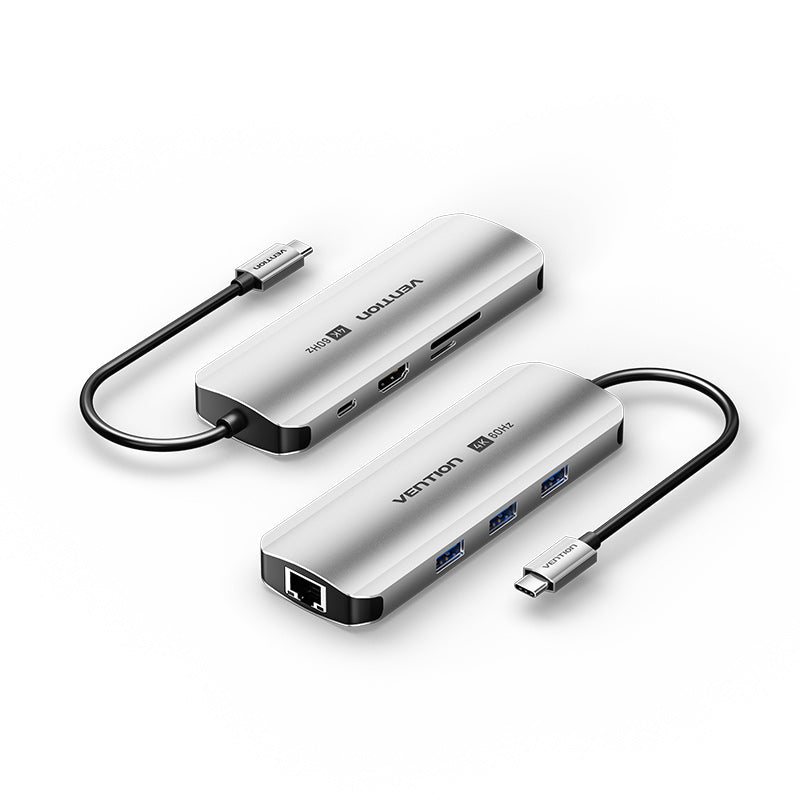
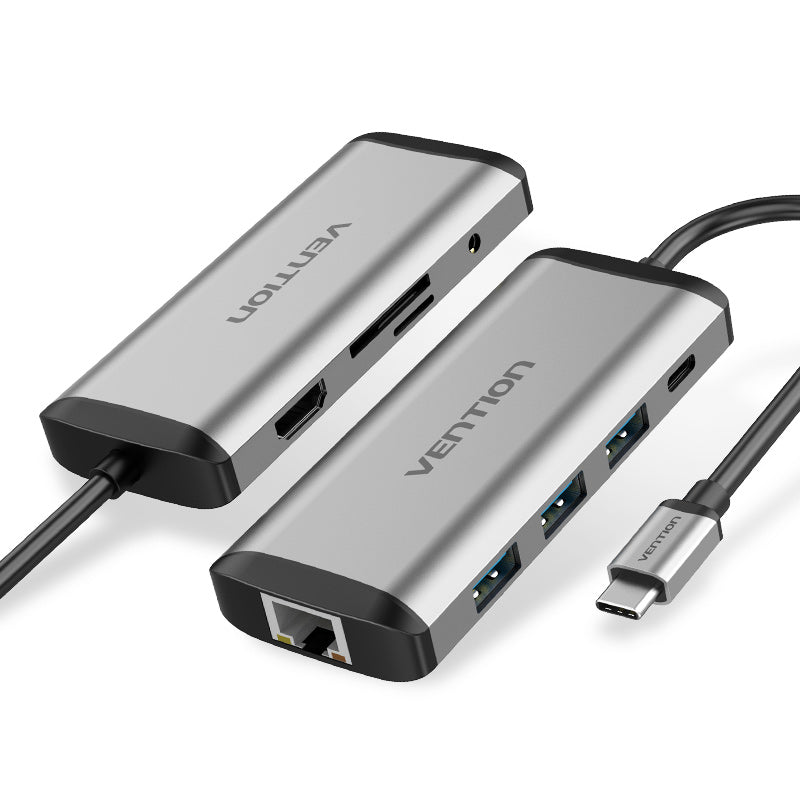
Vention USB-C 8-in-1 Docking Station – HDMI, USB 3.0, Ethernet, SD/TF, 100W PD (0.15M, Gray Aluminum Alloy)
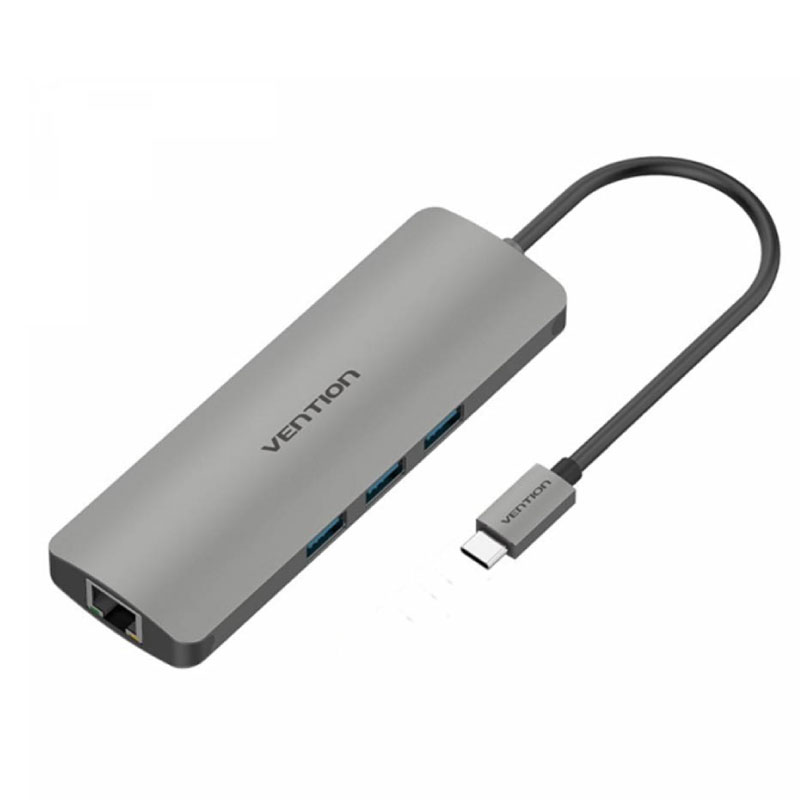
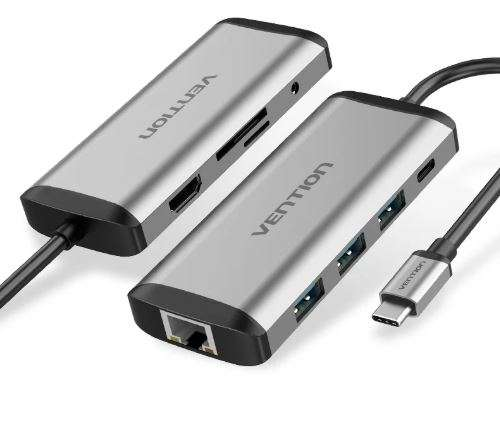
The Vention USB-C 8-in-1 Docking Station transforms a single USB-C port into a full-featured workstation hub. It delivers video output, data transfer, network connectivity, card reading, and pass-through charging through one compact device. This docking station suits remote workers, creative professionals, and anyone using a modern USB-C laptop with limited ports.
Technical Specifications
Connectivity & Ports
| Port | Specification |
|---|---|
| HDMI Output | Up to 4K resolution |
| USB 3.0 | 3× Type-A, 5 Gbps per port |
| Ethernet | RJ45 Gigabit (10/100/1000 Mbps) |
| SD Card Slot | SD / SDHC / SDXC |
| TF (MicroSD) Slot | Standard MicroSD support |
| USB-C PD Input | Up to 100W pass-through charging |
Build & Dimensions
| Detail | Specification |
|---|---|
| Cable Length | 0.15 m (approximately 6 inches) |
| Housing Material | Aluminum alloy |
| Color | Gray |
| Connector | USB-C (Thunderbolt 3/4 compatible) |
Compatibility
Works with USB-C laptops and tablets from Apple (MacBook Air/Pro), Dell, Lenovo, HP, Microsoft Surface, and other USB-C equipped devices. HDMI output and PD charging require the host device to support DisplayPort Alt Mode and USB Power Delivery, respectively.
Use Cases & Applications
Remote & Hybrid Work
Connect an external display, wired ethernet, and a keyboard/mouse through one hub. The 100W PD pass-through keeps your laptop charged during long work sessions, eliminating cable swaps between meetings and deep-focus tasks.
Content Creation & Photography
Import files directly from SD or MicroSD cards while an external 4K monitor provides accurate previews. Three USB 3.0 ports handle an external SSD, drawing tablet, and input device simultaneously.
Travel & Hot-Desking
The 0.15 m cable and aluminum alloy housing make this Vention docking station durable enough for daily bag carry. At shared desks, a single USB-C connection replaces a tangle of adapters and dongles. The compact form factor also works well for conference room setups and client presentations.
Students & Educators
Plug into classroom projectors via HDMI, access files from SD cards, and maintain a wired internet connection for reliable screen sharing. The hub eliminates the need to purchase multiple single-purpose adapters.
What to Know Before Buying
- PD charging draws from your laptop’s USB-C port capacity — actual charge wattage depends on your laptop’s supported input.
- HDMI resolution and refresh rate depend on your host device’s DisplayPort Alt Mode support.
- Simultaneous use of all ports may reduce maximum data throughput on individual USB 3.0 connections due to shared bandwidth, which is standard for USB-C hubs in this category.
 No products in the cart.